A demo you can try yourself
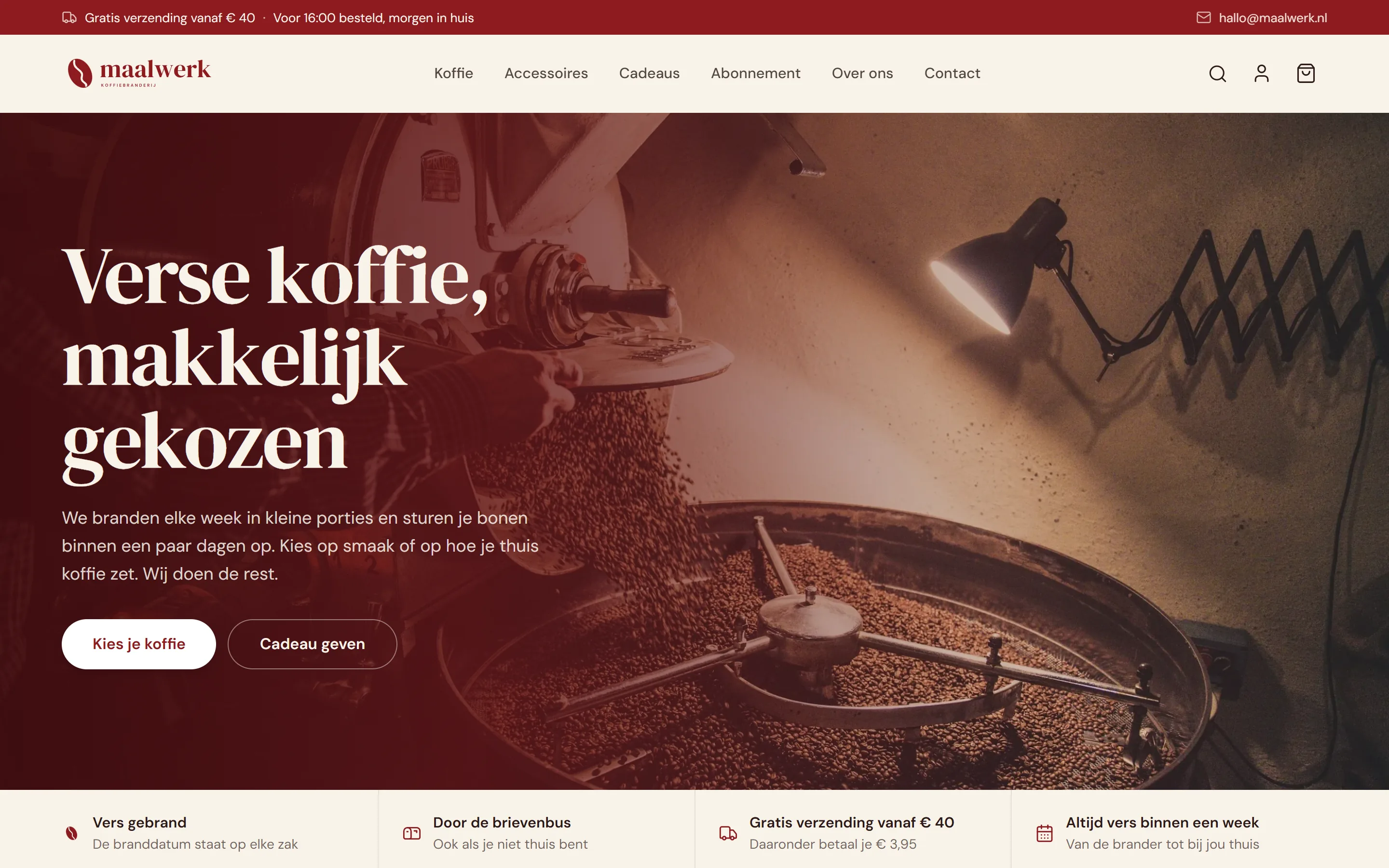
Maalwerk is a demo webshop, not a real shop. It is a coffee roastery we made up ourselves, so you can see how a PlusDigital webshop works before you have one built.
So feel free to click around. The cart, the checkout, the emails and the back office all really work, but because it is a demo you cannot mess up the data of a real webshop. You will not buy anything by accident either: nothing is charged to your account.
What Maalwerk sells
Maalwerk sells freshly roasted coffee. There are four kinds, from the mild house blend Ochtendploeg to the dark Zwaar Werk. Every coffee comes in 250 grams or 1 kilo, as whole beans or ground. The shop also sells a hand grinder, a filter holder, a mug and a tasting gift box.
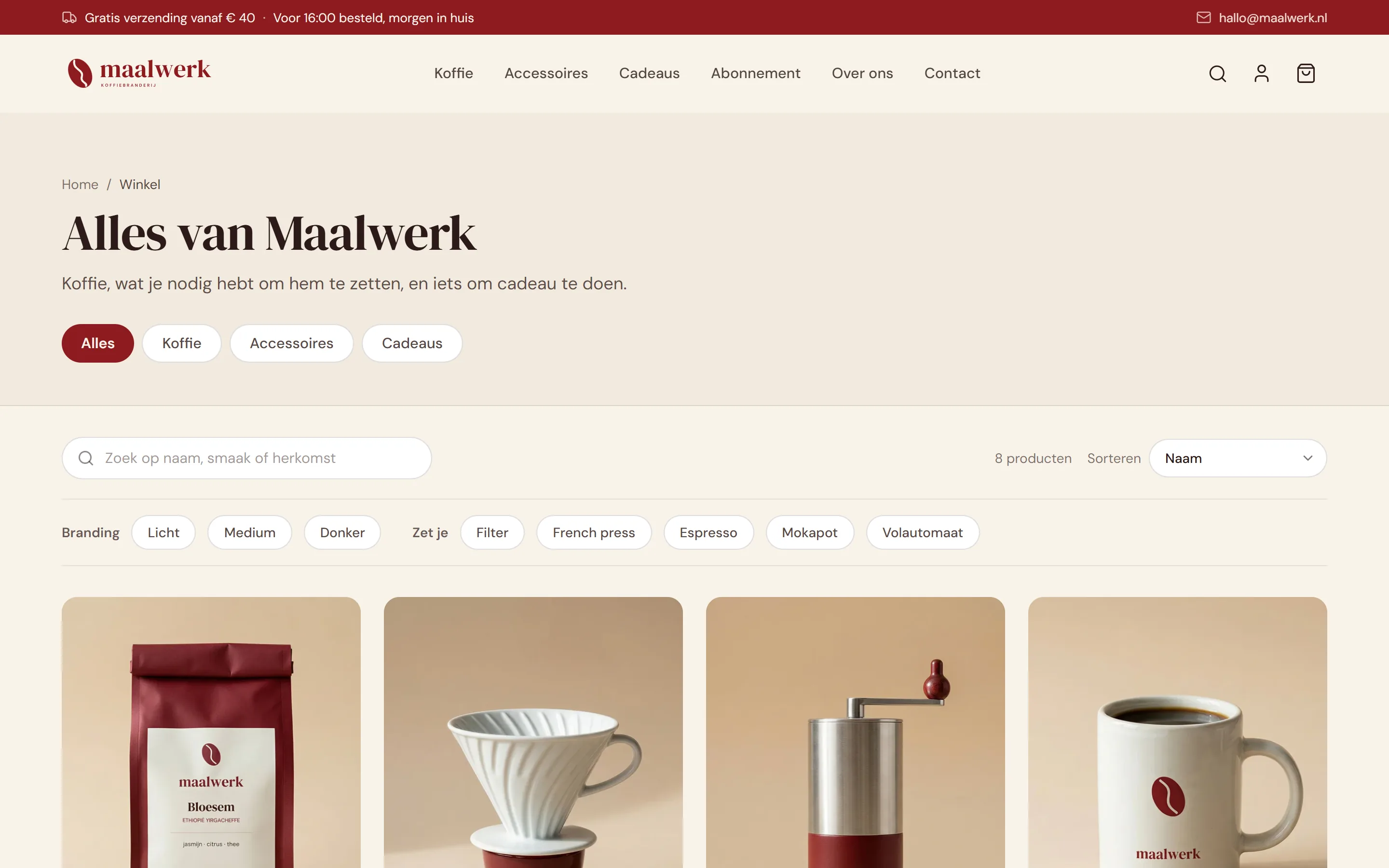
In the shop you filter by roast (light, medium or dark) and by how you brew at home: filter, French press, espresso, moka pot or bean-to-cup machine. You can also search by name, taste or origin.
A product page that answers every question
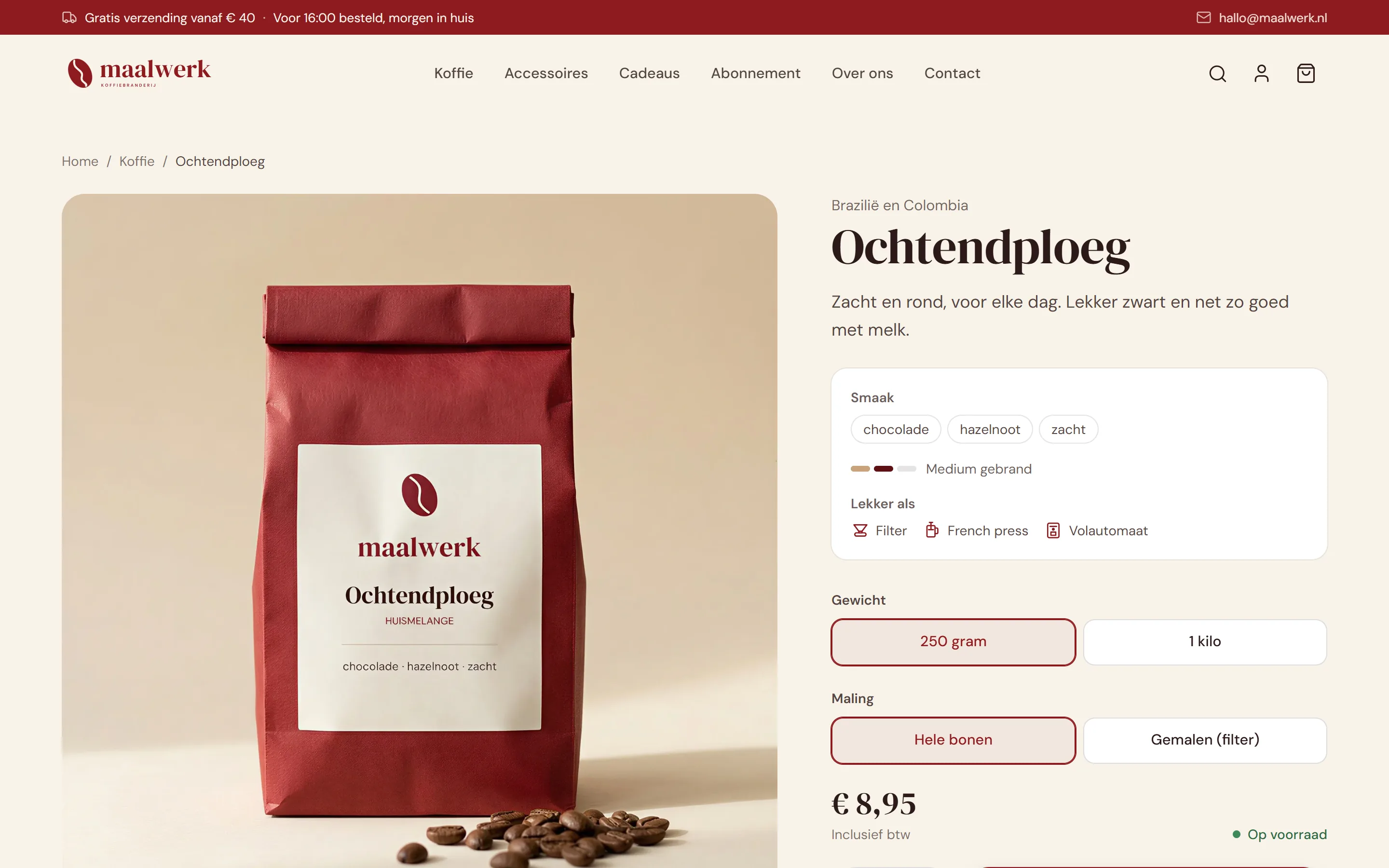
The product page shows at a glance how a coffee tastes, how dark it is roasted and which brewing methods it suits. Below that you choose the weight and the grind. Every combination has its own price and its own stock.
When one variant runs out, only that variant shows as sold out. The others can still be ordered.
Coffee as a subscription
Maalwerk also sells a coffee subscription: your favourite coffee delivered automatically, as often as you like. The customer chooses which coffee, how much and how often, and can skip a delivery, pause or stop whenever they want.
Payment runs automatically by SEPA direct debit, handled by Stripe. The customer gives permission once and after that the amount is collected from their account every period, without you or your customer having to do anything. That gives a shop a steady stream of orders it can count on.
A checkout like the big webshops
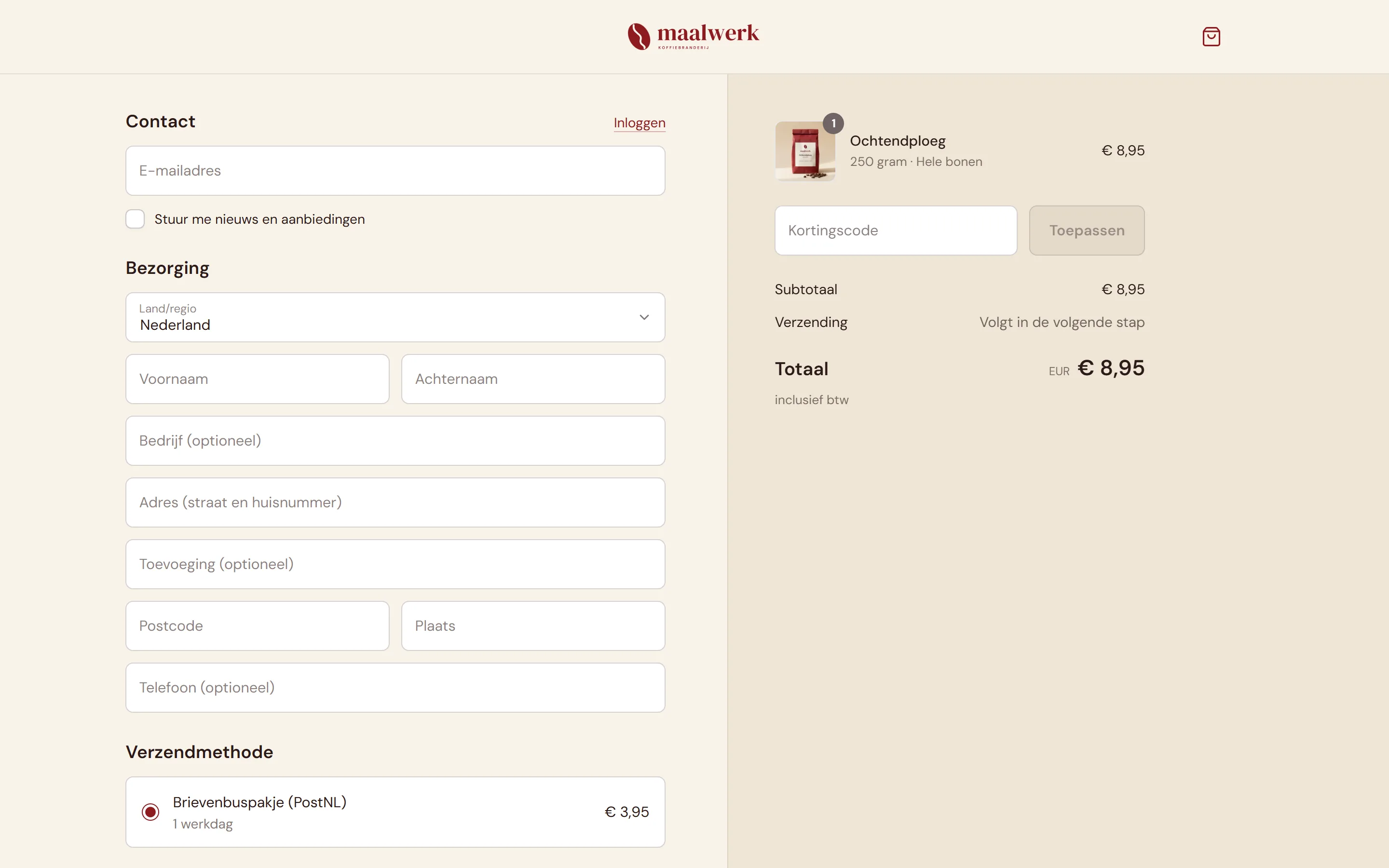
Checkout happens on one clear page: details, shipping method and payment, with the order and total always on the right. Anyone who has ordered from a big webshop knows straight away how it works. The less someone has to think, the fewer people drop out halfway.
The customer chooses between a letterbox parcel and a regular parcel. Above 40 euro shipping is free, and the cart shows how much more is needed to get there.
Payments through Stripe
For payments we use Stripe, one of the largest payment platforms in the world. Customers pay with iDEAL, credit card, Apple Pay or Google Pay. The payment form sits right inside the webshop, so nobody is sent to an unfamiliar page.
The Stripe account is in your name and the money goes straight to your own bank account. There are no monthly fees, only a small amount per payment: around 30 cents for iDEAL. Stripe checks every payment for fraud, and refunding an amount takes one click.
Just as easy on a phone
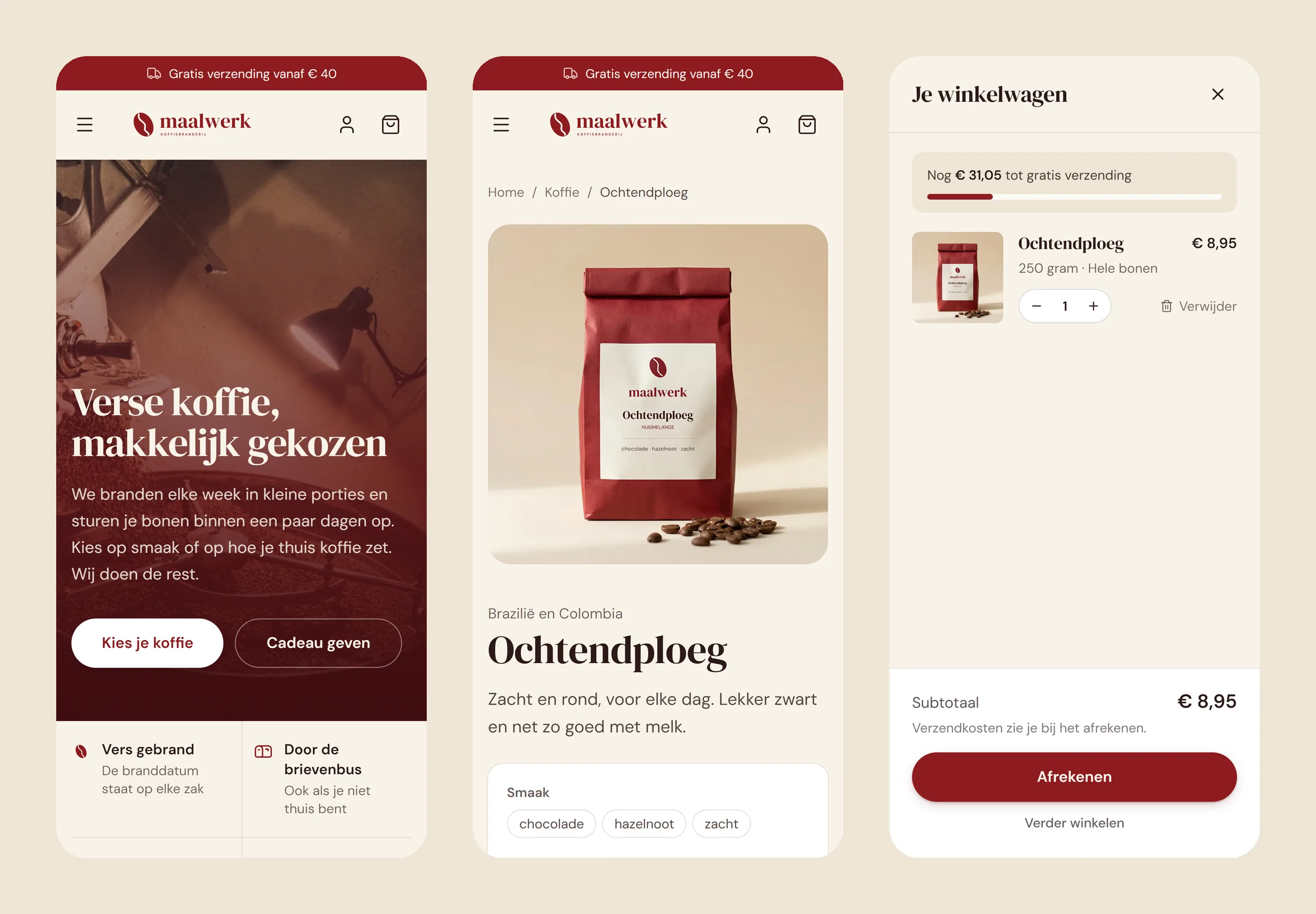
Most people shop from their phone. That is why everything works well on a small screen too: the order button stays in view, and the cart slides open without leaving the page.
Automatic emails with every order
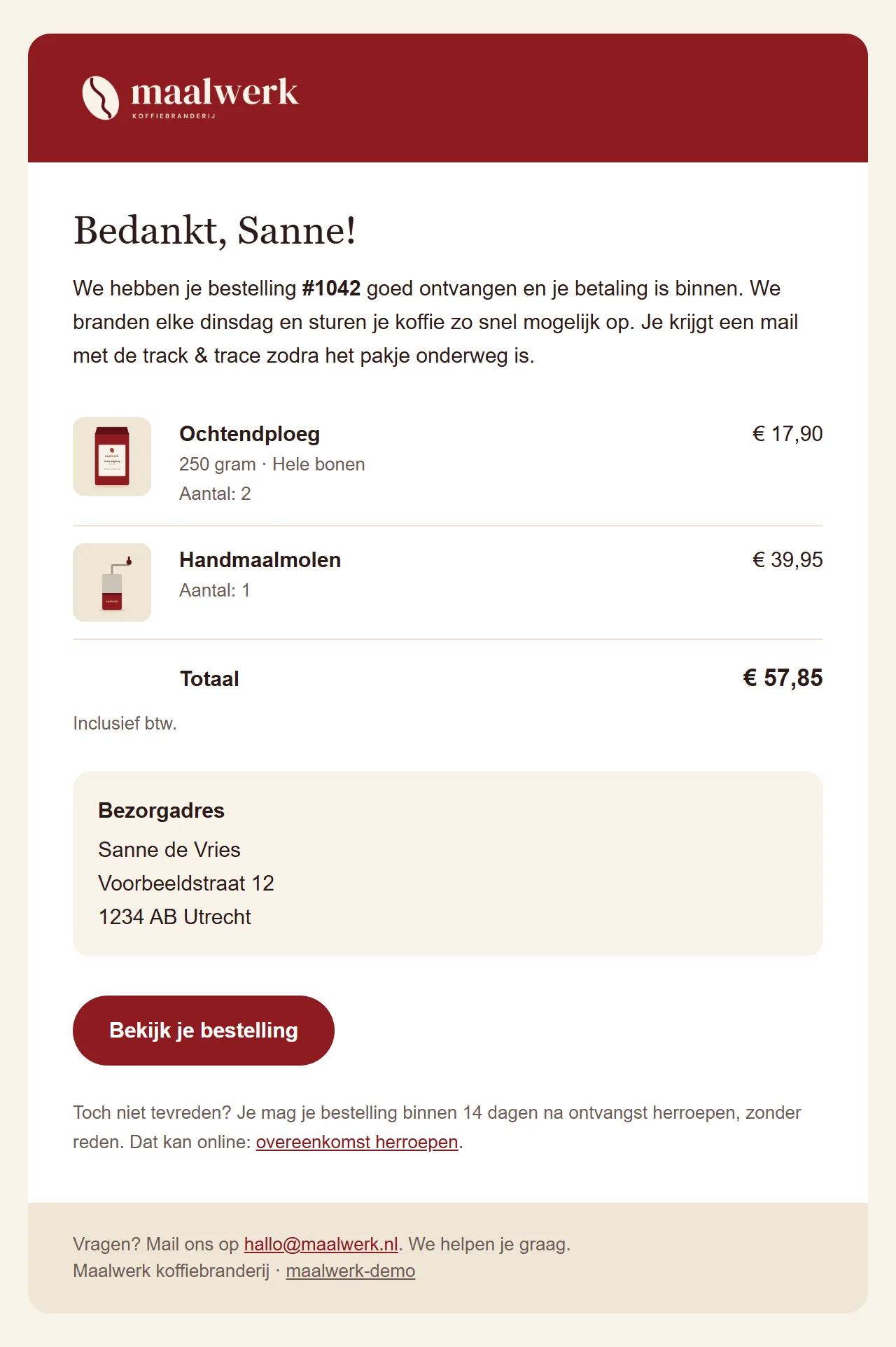
As soon as someone has paid, the customer gets an order confirmation in the shop's own style, with the products, photos, total and delivery address.
Once the parcel is on its way, a shipping email with the track & trace link goes out automatically. The emails come from an address on your own domain, such as orders@yourshop.nl.
As the owner of the webshop you get notifications by email too. For example when an order has been placed, or when a product is running low. That way you always know what is going on in your webshop, even when you are not in the back office.
The shipping label is ready automatically
The webshop is connected to MyParcel or Sendcloud. Every order automatically gets a shipping label with the right address. All you do is print it and stick it on the parcel.
The track & trace code comes back into the order by itself, and the customer automatically gets the shipping email. No retyping addresses and no copying codes.
Change everything yourself in the back office
Behind the webshop sits a back office, fully in Dutch and in the shop's own style. Every field briefly explains what it does and where it shows up on the site, so you do not need any technical knowledge to use it.
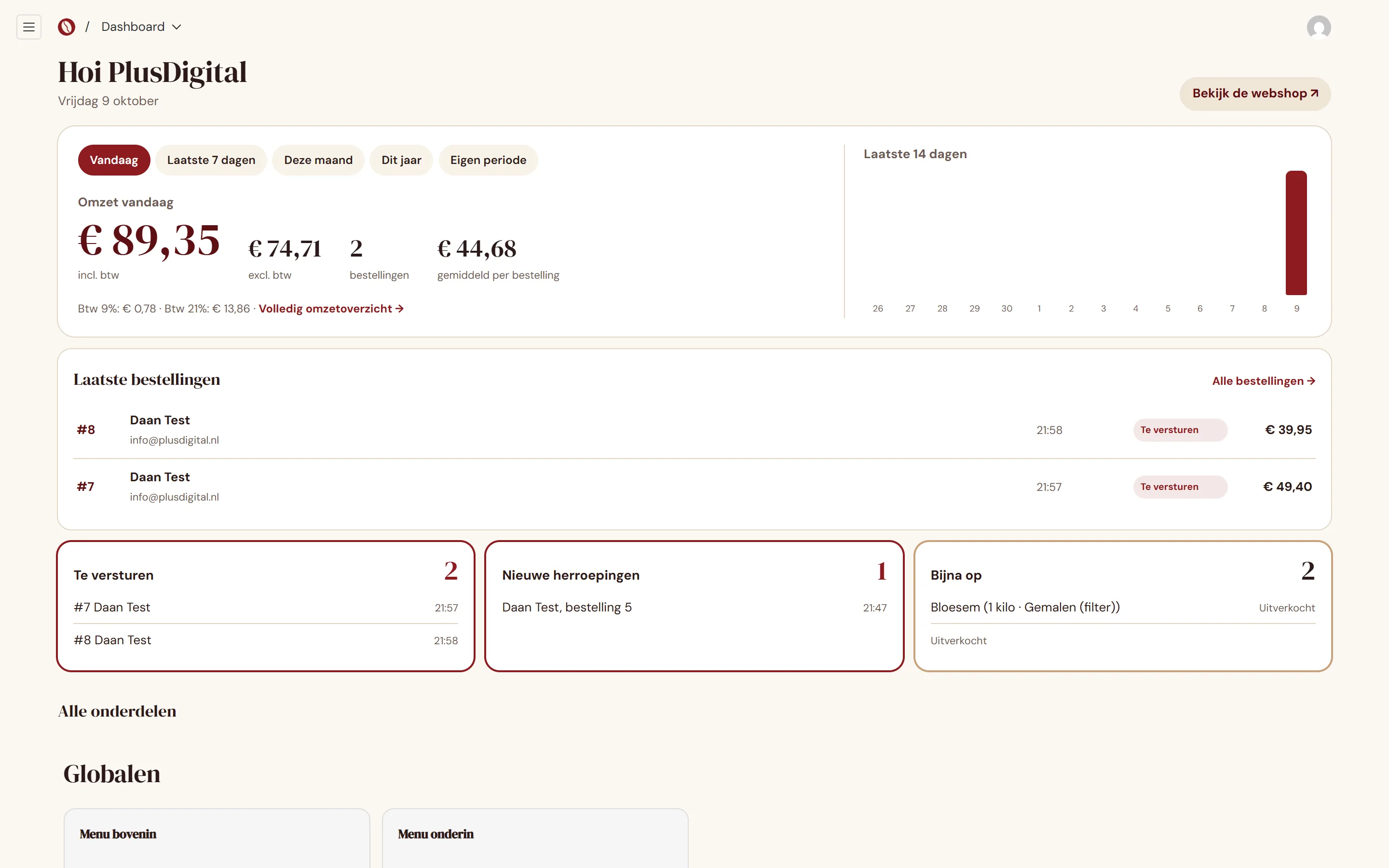
You add products, change prices and stock per variant and replace photos yourself. You also edit the texts on the pages, the menu and the images on the homepage. If you would rather have us change something for you, that is of course possible too.
The dashboard shows what is going on today: revenue for today, this week and this month, which orders still need shipping and which products are running low.
Products, prices and stock
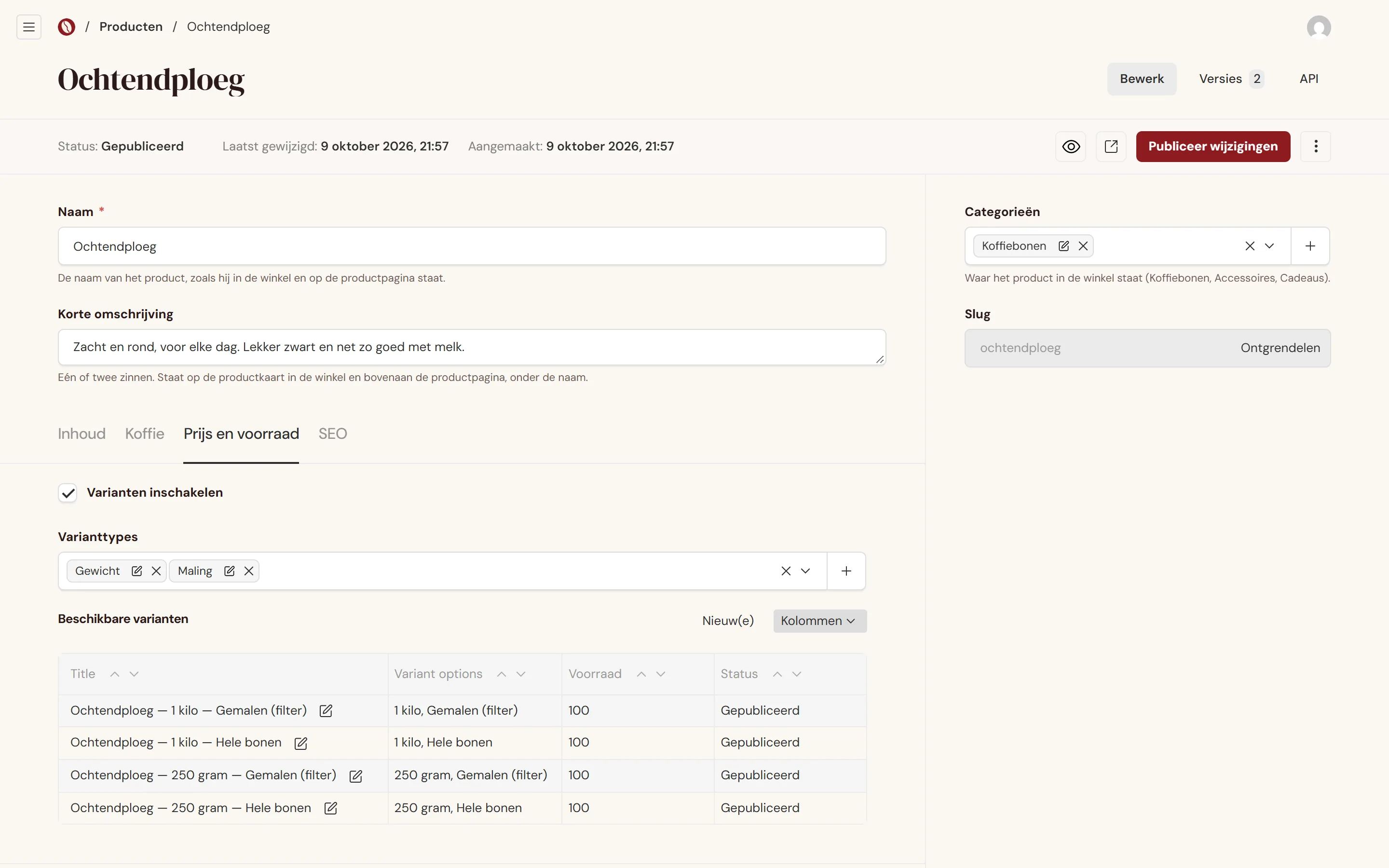
You put a new product online by filling in a name, a short description, photos and a price. If a product has variants, such as weight and grind for coffee, every variant gets its own price and stock. When something sells, the stock goes down by itself.
A clear overview of revenue and orders
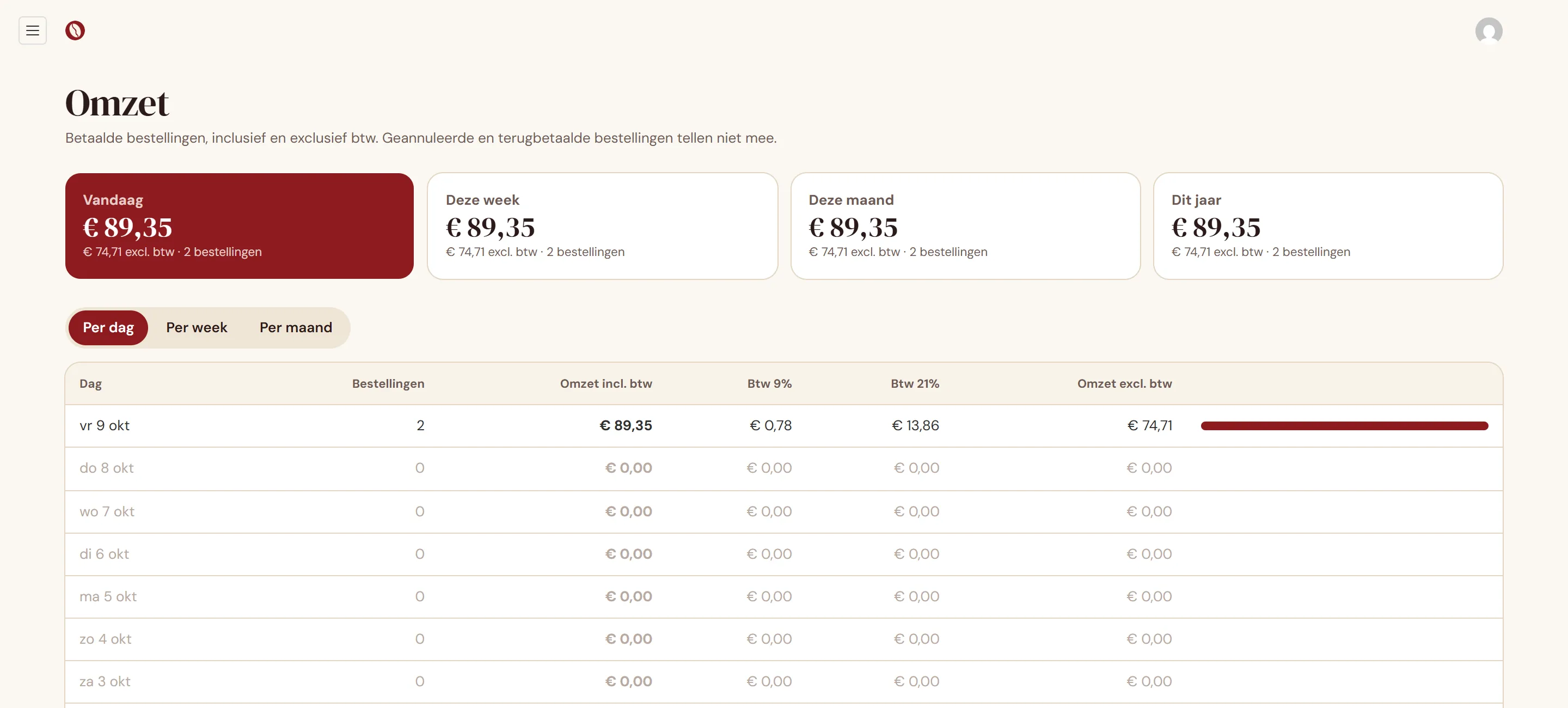
The revenue page shows per day, week or month how many orders were placed and what the revenue is, with and without VAT. VAT is split per rate (9% for coffee, 21% for everything else), so you can copy the numbers straight into your VAT return.
Every order has its own overview with the products, the delivery address and the amounts. You can search by order number, name, email address, phone number, postcode or town.
Legally in order
A webshop has to meet a few rules. Since 19 June 2026, for example, a withdrawal button is required, letting a customer cancel an order online. It comes as standard, along with the terms and conditions, the right of withdrawal with a model form, the privacy and cookie policy and a complaints procedure.
Place a test order yourself
Want to see what happens when someone orders? Place an order in the demo yourself. Payments run in test mode, so it is a fake order and nothing is charged.
To check out, use the test card 4242 4242 4242 4242 with any future date and any three-digit code. If you choose iDEAL, you can approve the payment on the test screen.
Curious what this could do for your business?